Allow
Runs on its own
The call goes straight through. For reads and for the routine writes you have already decided you trust.
gmail.list_messages
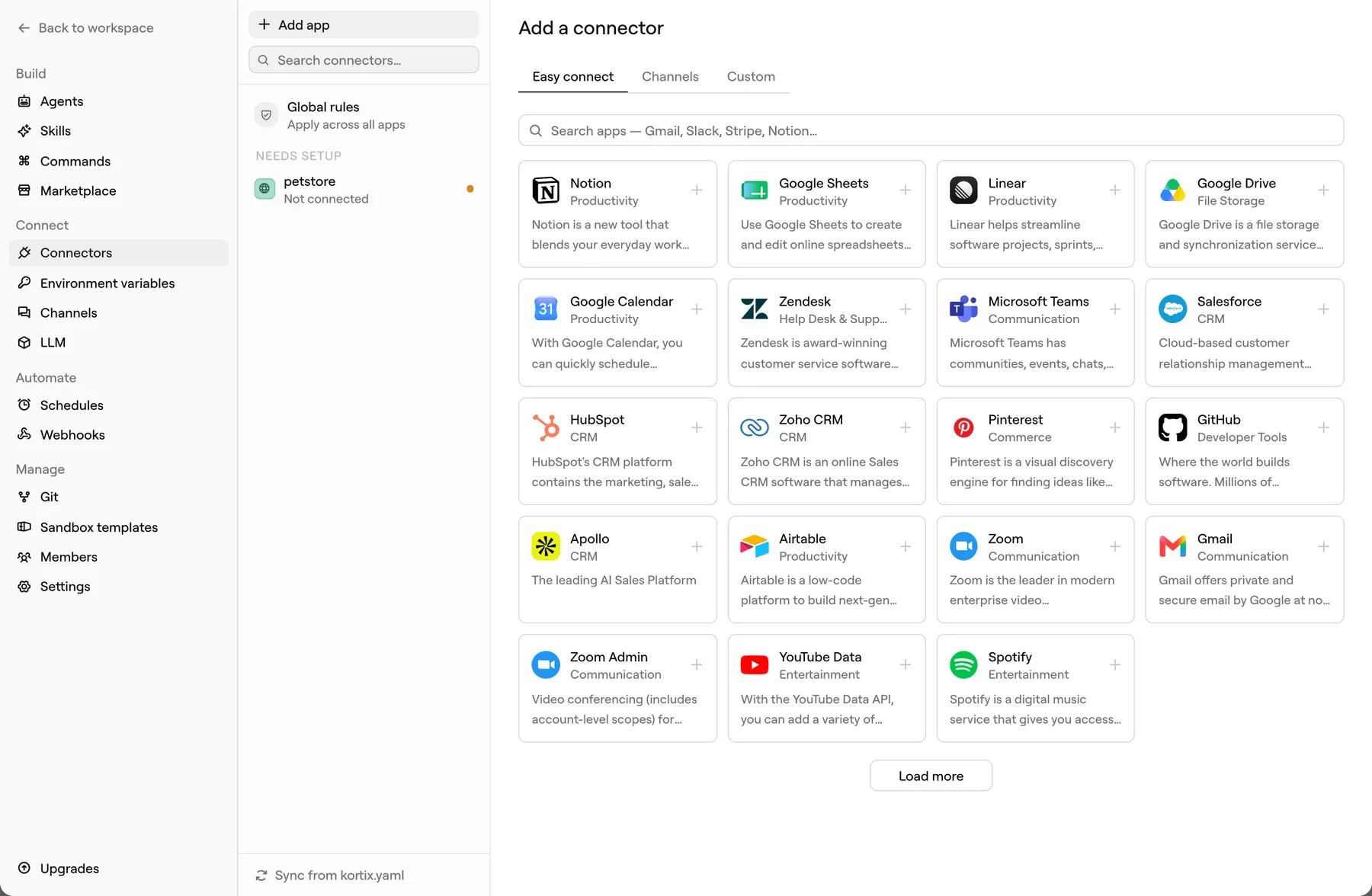
Connect a tool once, for the whole company. Agents reach it through one scoped token that Kortix brokers server-side — so the raw credential never lands in the machine the model is driving.
3,000+ apps · MCP · OpenAPI · GraphQL · raw HTTP
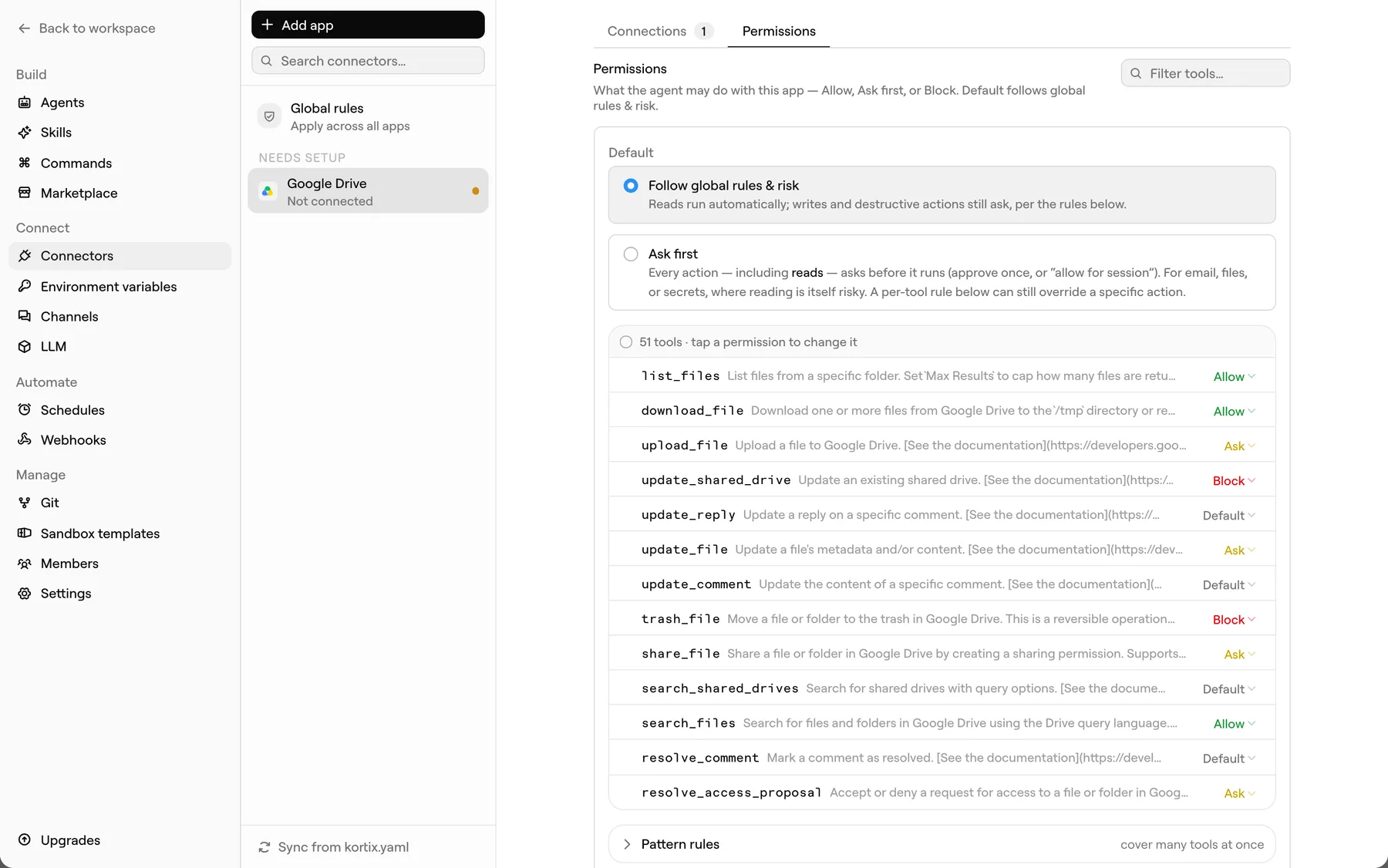
Every action a connector exposes gets one of three answers, and you set them. One tool at a time, or one pattern that covers a hundred — a glob by default, or a regular expression when you wrap it in slashes.
The call goes straight through. For reads and for the routine writes you have already decided you trust.
gmail.list_messages
The run stops at the call and waits. A person approves it once, approves it for the rest of the session, or denies it.
gmail.send_email
The action is not available, and no approval can lift it in the moment. Deleting a customer stays off the table.
stripe.delete_customer
A tool left on Default has no rule of its own and falls through to the project default. Until you set that default to risk — reads run, writes and destructive actions ask — an untouched project runs everything.
A gate that errors out teaches an agent to retry around it. A Kortix gate holds the call open, so the agent is still mid-task when you answer — and picks up exactly where it stopped.
running
The agent drafts the reply and reaches send_email.
waiting
The call is held. You see the action and its arguments.
approved
You approve. The same call completes and the run continues.
A tool-name rule can only ask “may the agent send email?” — which is rarely the question. A condition points at a value inside the call and matches it with a glob or a regular expression, so a rule can allow sending to your own domain and stop at everything else. A list argument passes only when every entry passes, so one off-list recipient is enough to hold the call. Anything the rule cannot decide resolves toward less access, never more.
Project-wide rules are evaluated first and cannot be overridden by whoever adds a connector later.
A connector belongs to the project, not to a laptop or a login. Add it once and every session that project starts can reach it — with no second setup and no key passed around in a DM.
Pick the app, click through its OAuth screen, done. Kortix stores the connection, not your password — Gmail, Notion, Linear, Salesforce, HubSpot, Zendesk, Google Drive and thousands more.
Point Kortix at an OpenAPI or Postman spec, a GraphQL endpoint, a remote MCP server, or a bare HTTP base URL. It reads the source, works out the authentication, and turns every operation into a tool.
Slack and email connect the same way, so an agent can be reached and can reply where the work already happens.
A sandbox is a real Linux machine the model can run anything on. So we do not put your credentials in it. The sandbox carries exactly one Kortix token, scoped to the project, and every outbound call is assembled on our side of the wall.
Every key sits in the environment the model reads from. Revoking one means rotating it everywhere it was copied, and any of them can end up in a log line.
Scoped to one project and narrowed again by what that agent is allowed to touch. Turning a connector off takes effect on the next call. Nothing in the sandbox needs rotating, because nothing in the sandbox was ever a secret of yours.
executor.call("gmail", "send_email", {…})
The agent calls a tool. It names the connector and the action — it has no URL, no host, no key.
POST /v1/executor/call
The gateway checks this agent may use this connector, resolves the policy, decrypts the credential server-side, and attaches it to the outbound request.
Authorization: Bearer ••••••••
The third-party API sees a normal authenticated request. The response comes back to the agent. The credential stays behind.
Connector credentials are encrypted with a per-project key and stored apart from the values a sandbox is allowed to read.
The secret is attached to one outbound request and thrown away. It is never written into the sandbox environment.
The model is never shown a credential, and the ledger stores a hash of the inputs rather than the inputs themselves.
Reach is granted, not inherited. An agent gets the connectors you list for it and nothing else, and effective access is always the intersection of what the person can do and what the agent was granted.
A connector lives in one project. Another project cannot see it, call it, or read its credential — a project is its own blast radius.
Each agent lists the connectors it may use. The support agent reaches Zendesk and Gmail; the reporting agent reaches neither, and cannot discover that they exist.
Choose who the connection belongs to: one project-managed account everyone shares, or a personal authorization where each member acts as themselves and an automated principal cannot act at all.
[[agents]]
name = "support"
connectors = ["zendesk", "gmail"]

[[agents]]
name = "recruiting"
connectors = ["greenhouse", "gmail"]

[[agents]]
name = "reporting"
connectors = ["warehouse"]
Grants are text in the repo, so a change to who can reach what is a diff someone reviews — not a setting that quietly moved.
The gateway that resolves the credential is also the thing that writes the record. There is no path to a connected tool that skips it.
The connector and the exact action called.
The agent and the person or trigger behind the session.
Ran, denied, waiting on approval, or errored.
Whether the action reads, writes, or destroys.
Who released a held call, and when.
A hash of the arguments, and a redacted result — never a raw secret.
Read the trail for any session inside the app. Audit access is part of Enterprise.
Start free, connect a tool, and watch the first approval gate stop an agent mid-run. Self-host it if you would rather the whole thing lived in your own environment.