Brand & Design System
Logo assets, color palette, typography, motion tokens, component library, and usage rules for building Kortix. The complete reference for designers and engineers.
Logo
Two forms — the symbol on its own, and the full logo. Each in black and white.
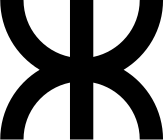
The symbol is derived from the letter K — connectivity and intelligence abstracted into a geometric mark. Use it as a favicon, app icon, or whenever the full wordmark isn't practical. Never stretch, rotate, or recolor it.

Colors
Black and white is the foundation. Each UI theme pairs the neutral base with exactly one accent color. The OKLCH color space ensures perceptual uniformity across all themes.
Foundation
Core palette
globals.css · :root / .dark
Typography
Roobert — a geometric sans-serif. Font-medium (500) is the brand weight. Roobert Mono for code and data.
Kortix Computer
Kortix Computer
const agent = new Kortix();
ABCDEFGHIJKLMNOPQRSTUVWXYZ abcdefghijklmnopqrstuvwxyz 0123456789
Type Scale
Motion
Standardized duration and easing tokens ensure every transition feels consistent. Click the labels to trigger the animation.
Duration Scale
Easing Curves
Spacing
A consistent spacing scale based on 4px increments. Used for padding, margins, and gaps throughout the UI.
Shadows
Subtle elevation tokens for floating surfaces. Most app chrome stays flat — use shadows only when depth helps hierarchy. Never add colored, glow, or custom box-shadow values.
--shadow-sm
Tabs, sticky bars, subtle lift
--shadow-md
Select menus, dropdowns
--shadow-lg
Modals, dialogs, floating panels
--cds-shadow-popover
Popovers and elevated overlays
Components
The complete component library. Each component uses a consistent API with variant and size props managed through class-variance-authority. Built on Radix UI primitives for accessibility and composability.
Badge
Labels, status indicators, and tags. Seven variants from solid to subtle.
Solid colors
Base Variants
Semantic Status
Sizes
With Icons
Card
Container with header, content, and footer slots. Default and glass (translucent, no blur) variants.
Card content goes here. Use for grouping related information.
Card content goes here. Used for overlays and floating panels.
Input
Text input for forms and search. The canonical form-control treatment — Textarea & Select inherit the same bg-card surface, accent focus ring, and rounded-2xl shape.
Textarea
Multi-line text input for longer content. Shares one treatment with Input & Select — bg-card surface, accent focus ring, rounded-2xl, no shadow.
Select
Dropdown selection from a list of options. Matches Input & Textarea — same bg-card surface, accent focus ring, and rounded-2xl shape.
Checkbox Group
Toggle for boolean values.
Switch
Toggle control for on/off states.
Toggle
A two-state button with default and outline variants.
Icon only
Text only
Text + icon
Radio Group
Single selection from a set of options.
Tabs
Tabbed navigation with standard and compact variants.
Standard
Account settings and preferences.
Compact
Daily view content.
Dialog
Modal overlay for focused interactions.
Modal
Responsive overlay: bottom sheet on mobile, centered dialog on desktop. Supports side variants via side.


Sheet
Slide-out panel from the edge of the viewport.
Dropdown Menu
Contextual menu triggered by a button. Rows stay neutral— even destructive ones like Delete or Remove. Red is the brake, not the paint: it appears only on the final confirm button, never on a menu row.
Tooltip
Contextual information on hover.
Popover
Floating content panel attached to a trigger.
Alert
Inline notification with contextual variants.
Toast
Ephemeral notifications for async outcomes and feedback. Use successToast, errorToast, infoToast, warningToast, and loadingToast from @/components/ui/toast — not raw sonner calls.
Variants
Promise
Alert Dialog
Confirmation dialog for destructive or important actions.
Accordion
Collapsible content sections with smooth animation.
Collapsible
A simpler expand/collapse primitive. Unlike Accordion, it controls a single section without exclusive selection.
Separator
Visual divider between content sections.
Content above
Content below
Skeleton
Loading placeholder for content that hasn't loaded yet.
Card Skeleton
Inline Variants
Progress
Visual indicator of completion or loading.
Slider
Range input for selecting numeric values.
Label
Accessible label for form controls.
Kbd
Keyboard shortcut indicators. Theme-aware, including automatic styling when nested inside tooltips.
Individual Keys
Key Groups (Shortcuts)
In tooltips
Table
Structured data display in rows and columns.
| Component | Variants | Status | Instances |
|---|---|---|---|
| Button | 6 | Stable | 624 |
| Badge | 7 | Stable | 189 |
| Card | 2 | Stable | 312 |
| Input | 1 | Enhancing | 247 |
Calendar
Date picker calendar grid.
| Su | Mo | Tu | We | Th | Fr | Sa |
|---|---|---|---|---|---|---|
Scroll Area
Custom scrollable container with styled scrollbar.
Page Patterns
How Kortix list / management pages are built. These are the shared chrome pieces used by/scheduled-tasks, /tunnel. New management-style pages should compose the same pieces in the same order so the whole app feels like one product.
PageHeader
The canonical hero for list/management pages. Rounded card with animated background, centered icon tile, and a single bold title line. Always rendered inside a container wrapper withmax-w-7xlhorizontal padding.
Scheduled Tasks
<div className="container mx-auto max-w-7xl px-3 sm:px-4 py-3 sm:py-4">
<PageHeader icon={Zap}>
<div className="text-2xl sm:text-3xl md:text-4xl font-semibold tracking-tight">
<span className="text-primary">Scheduled Tasks</span>
</div>
</PageHeader>
</div>SpotlightCard
Item card used across every list page. Mouse-following radial spotlight on hover plus a subtle border glow. Wrap withbg-card border border-border/50and apply your own inner padding.
PageSearchBar
Standard search pill placed in the action bar below the PageHeader. Leave amax-w-mdwidth so it sits next to a right-aligned primary action without taking over.
Stagger Mount
Every management page mounts its three zones with a staggered fade + slide. Header on entry, search bar atdelay-75, content atdelay-150.
// Page header <div className="... animate-in fade-in-0 slide-in-from-bottom-4 duration-500 fill-mode-both"> // Search + action bar <div className="... animate-in fade-in-0 slide-in-from-bottom-4 duration-500 fill-mode-both delay-75"> // Content area <div className="... animate-in fade-in-0 slide-in-from-bottom-4 duration-500 fill-mode-both delay-150">
Primitives
Small composition pieces used inside project pages, issue details, and other structured internal surfaces that don't fit the hero + list shape.
PageShell
The one layout wrapper. Standardises max-width, horizontal padding, and scroll behavior. Four width presets: reading (720), default (1000), wide (1280), full.
<PageShell width="default"> … </PageShell>Section
Labelled section inside a PageShell. Uppercase micro-label, optional trailing action, opinionated top margin between siblings. No box, no chrome — typography and whitespace do the work.
About
Description content lives here. Sections separate concerns on a page without ever drawing a card.
Details
A second section with a trailing action.
SectionCard
The one panel pattern. Composes the design-system Card (rounded-2xl) and adds the divided header every settings/list surface needs: title, muted count, description, trailing action. Useflushto seat a List edge-to-edge, and tone="destructive"for danger zones — no separate component. A danger zone stays calm: a neutral panel with a faint warm edge and aneutraltrigger. Red is the brake, not the paint — it shows up only on the final confirm (the ConfirmDialog button), never on the panel.
Members (2)
People with access to this account.
Body content sits in the padded region. Pass flushto drop the padding for a List.
Danger zone
Irreversible actions live here.
Delete this account
Permanently removes the account and all its data.
Avatars
One rule:people are round, things are square. UserAvatarrenders a circular avatar for a person — the supabase profile picture when present, otherwise neutral monochrome initials(no coloured backgrounds).EntityAvatarrenders a rounded-square tile for accounts, projects, groups and other non-person entities — an initial or an icon. Both share the same neutral material and size scale so they align on a row.
List & ListRow
The standard list. A divider-separatedList of ListRows, each with a leading avatar slot (UserAvatar for people, EntityAvatar for things), a title with inline badges, a subtitle (an InlineMeta strip reads well), and a trailing slot for status badges or a kebab. Drop it inside a SectionCard flush.
Members (2)
- GHgrace@kortix.aiYouJoined Mar 3, 2026·4 projectsOwner
- ATalan@kortix.aiJoined Apr 1, 2026Member
DefinitionList
Key/value pairs. Fixed-width label column so values align vertically. Optional dividers for a Linear-style meta list.
- Path
/workspace/jjk-domain-search- Created
- 2 days ago
- Updated
- 3m ago
- Sessions
- 8
InlineMeta
Dot-separated facts. Drop any number of children — falsy ones are skipped. Used in page headers, row subtitles, card footers.
EmptyState
The calm teaching moment. Icon, headline, one-line description, up to two actions. Used for zero-state views across every list and detail page.
No issues yet
Create your first issue with C, or import from a session.
Status (Dot, Badge & DiffStat)
The single source of truth for “this means success / warning / error / info” coloring. Chips use Badge, boxes useInfoBanner— for the cases a component can't cover (a live activity dot, a diff +/- counter, a lone status icon) reach forStatusDot, DiffStator theSTATUS_TEXT/BG/BORDER maps instead of re-inliningtext-emerald-500.
Use StatusBadgefor informational status (faint, incl. red).Badge variant="destructive" is a SOLID red pill — reserve it for actions, not status.
Anti-Patterns
Code patterns that violate the design system. Follow these rules to maintain consistency, accessibility, and performance across the codebase.
AP-1: No inline style={} for fixed values
Bypasses the utility system, can't be purged, creates specificity issues, invisible to design system audits.
<div style={{ height: '14px', overflow: 'hidden' }}>
Content
</div><div className="h-3.5 overflow-hidden"> Content </div>
AP-2: No arbitrary text sizes
Creates inconsistent type sizes with no semantic meaning and no relationship to the readable type scale.
<span className="text-[11px]">Label</span> <span className="text-[13.5px]">Meta</span> <span className="text-[0.875em]">Body</span>
<span className="text-xs">Label</span> <span className="text-xs">Meta</span> <span className="text-sm">Body</span>
AP-3: No raw <button> elements
Raw buttons bypass variant system, have inconsistent sizing/padding/radius, no focus ring guarantee, no loading state support.
<button
className="px-3 py-1.5 rounded-lg
bg-neutral-100 hover:bg-neutral-200"
onClick={handleClick}
>
Save
</button><Button
variant="secondary"
size="sm"
onClick={handleClick}
>
Save
</Button>AP-4: No transition-colors
Animates every CSS property including width, height, padding. Causes layout thrashing. Performance killer on large lists.
<div className="transition-colors duration-200 hover:bg-accent">
<div className="transition-colors duration-moderate hover:bg-accent">
AP-5: No hardcoded hex colors
Completely bypasses the theme system. Will look wrong in non-default themes. Breaks dark mode.
<div className="text-emerald-500">
Success
</div>
<div style={{ color: '#3b82f6' }}>
Info
</div><div className="text-success"> Success </div> <div className="text-info"> Info </div>
AP-6: No clickable <div> elements
Not keyboard accessible. No focus ring. Not announced as interactive by screen readers.
<div
onClick={handler}
className="cursor-pointer"
>
Click me
</div><Button
variant="ghost"
onClick={handler}
>
Click me
</Button>Usage
Do
Don't